Client Access Requests
One request for every account you need.
Choose the accounts your agency needs, add context for the client, and send one private link instead of a chain of separate instructions.
Rated 4.7 on Trustpilot





BUILT IN
What you can do.
Account checklist
Choose the marketing accounts to include in each client request, from Google Ads and Analytics to Meta and domain access.
HOW IT WORKS
From setup to everyday work.
Choose accounts
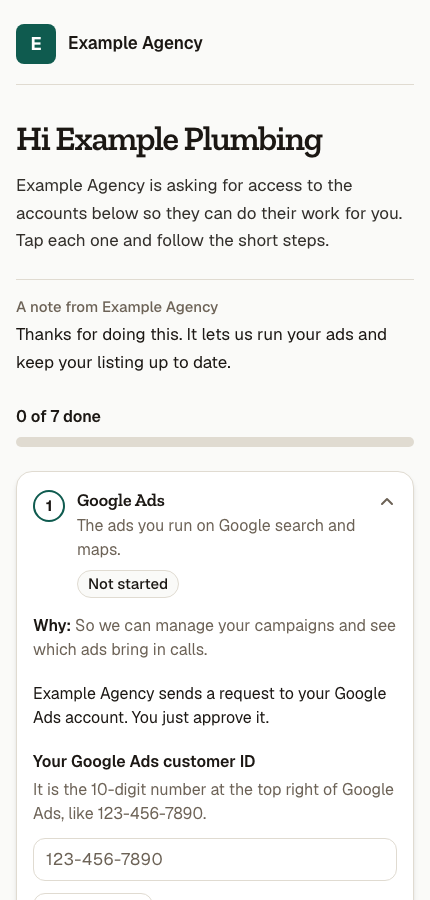
Pick the platforms your agency needs for this client, then add a short message that explains the request in your own words.
Share one link
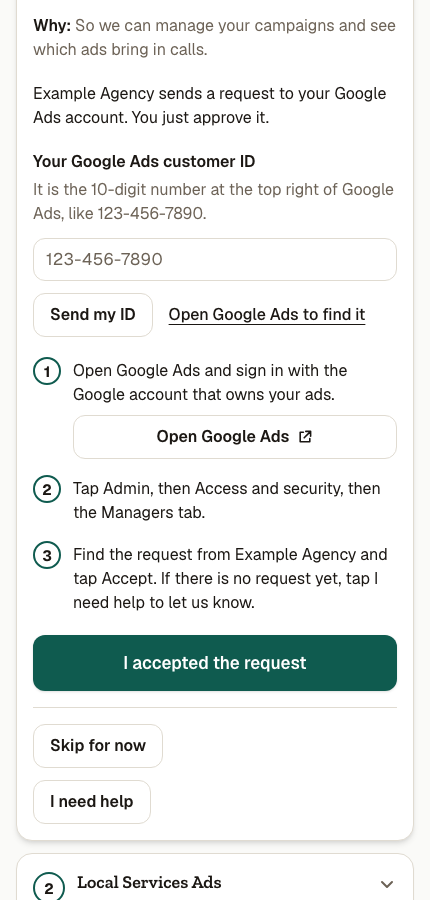
Send the private request link through your usual client channel so every selected account has a clear place to start.
Follow the status
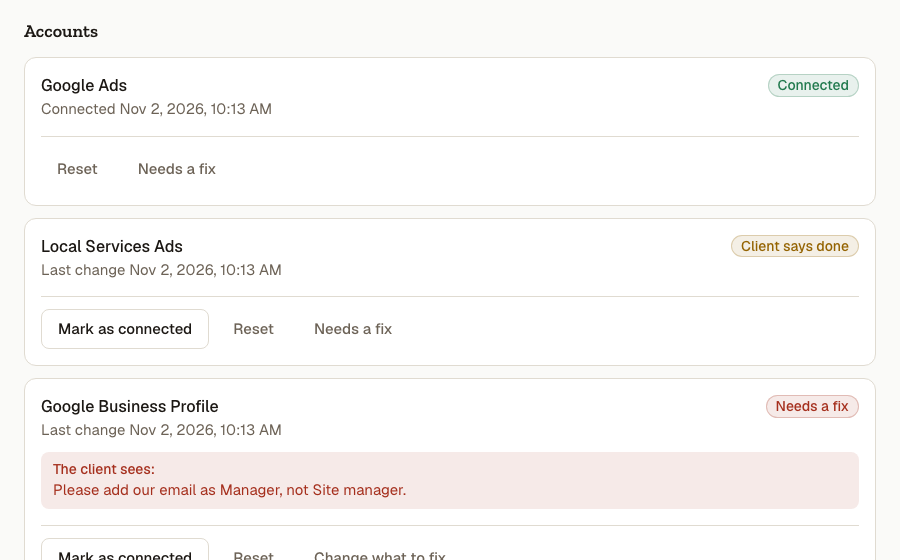
Open the request in your agency dashboard to see completed accounts, outstanding steps, and anything that needs your attention.

A cleaner first step for every client.
Account access can scatter across email threads and platform settings. Linkd keeps the requested accounts together in one client page and gives your team a matching request record to follow.
MORE FROM SEEDLY LINKD
See what else you can do.
A FEW THINGS TO KNOW
Questions about Client Access Requests.