Live Chat Widget
Put a chat widget on every client site, and pay per nothing.
A branded bubble on their website, threading into the same inbox as SMS, email and social. Every visitor who types becomes a contact in the CRM you own.
Rated 4.7 on Trustpilot




At a glance.
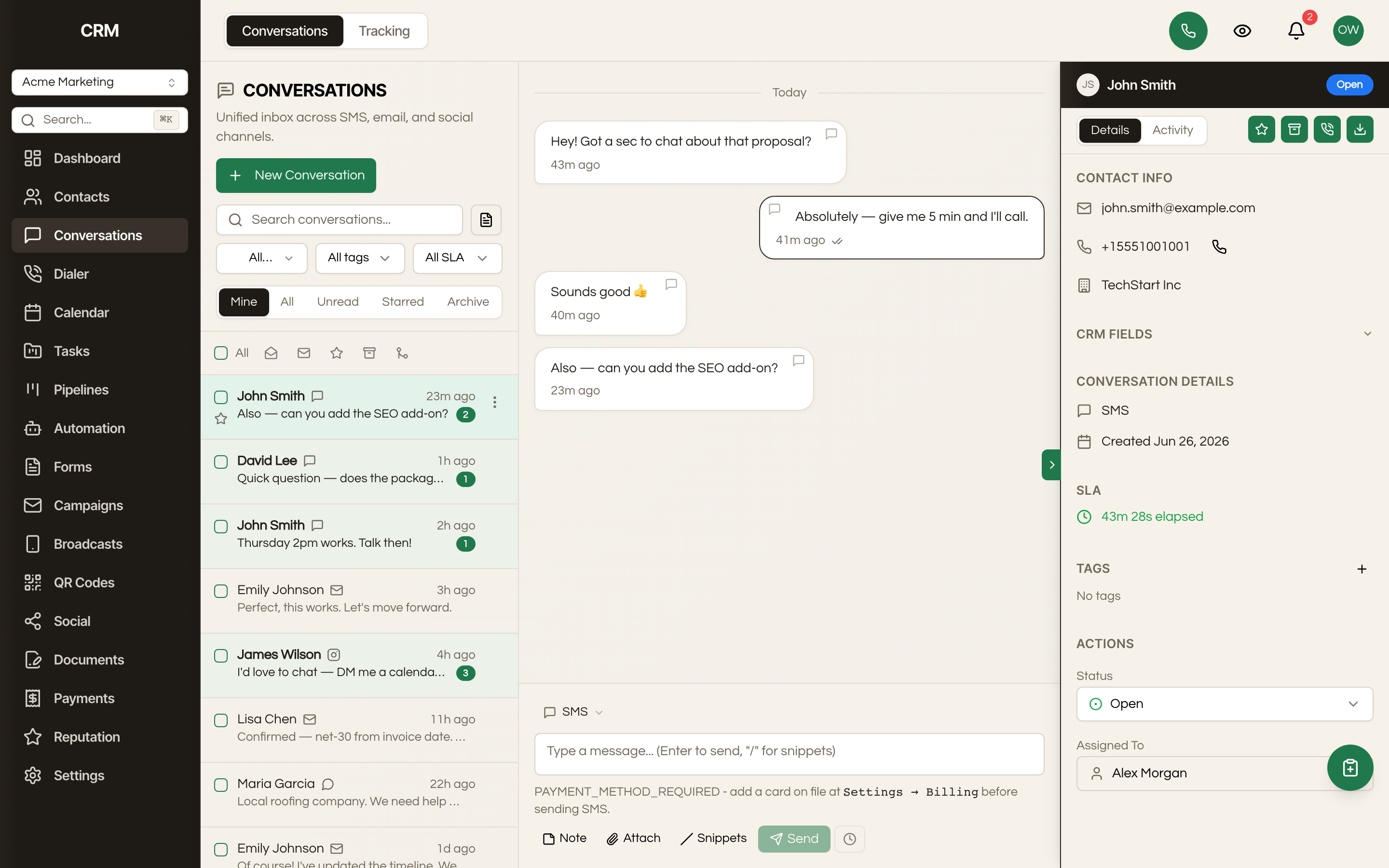
Seedly's live chat is a website widget you embed on any client site, branded per client with its own avatar and greeting. It sits as a bubble in the corner, and a visitor who starts typing opens a conversation that lands in the same Conversations inbox as SMS, email, Messenger and Instagram, so your team answers everything in one place. Visitors can be identified and become contacts, which means a chat is the start of a CRM record rather than a transcript you lose. Because it runs on the CRM you bought outright, there is no per-conversation, per-seat or per-website charge, and you can put it on as many client sites as you have clients.
BUILT IN
What you can do.
Embed it on any website, not just one you host
The widget is built to be embedded cross-origin, so it goes on a client's WordPress site, their Squarespace page, a landing page you did not build, or a site another agency maintains. You are not asking anyone to migrate their website to get chat on it.
HOW IT WORKS
From setup to everyday work.
Brand the widget
Set a greeting and upload an avatar for each client's widget so website visitors see the business they came to contact.
Add it anywhere
Embed the widget on your client's website, including sites you did not build or host, so visitors can start a conversation.
Reply and reconnect
Assign chats and track response targets in Conversations, then retain identified visitors as contacts with their history ready for future follow-up.

Chat is priced like a utility by everyone who sells it, and it is the cheapest thing in the stack to run.
Intercom, Drift, Tidio and the rest charge per seat, per conversation, or per website, which means the cost of putting chat on your clients' sites scales exactly with your success at signing clients. Agencies usually respond by putting chat on nobody, or by charging for it separately and hoping the client does not compare prices.
This one is inside the CRM you already bought. There is no per-conversation meter in the code, so ten client sites cost the same as one, and you can fold chat into a retainer as an included extra rather than a line item you have to defend.
The bigger difference is where the conversation goes. A standalone chat tool leaves you with a transcript in a separate product, and somebody has to copy the useful part into the CRM or it is lost. Here the chat IS in the CRM: it threads with the contact's other channels, it can turn a visitor into a contact, and every automation you have already built applies to it without a connector.
MORE FROM SEEDLY CRM
See what else you can do.
A FEW THINGS TO KNOW
Questions about Live Chat Widget.